
Capstone
Where It All Comes Together


Click. Track. Learn.
Click. Track. Learn. is the culmination of my instructional design journey, transforming a real classroom challenge into a complete teacher training and resource solution. The project brings together curriculum design, professional development, interactive eLearning, performance support, assessment, and digital resources to help teachers deliver Prep ICT with greater consistency and confidence.
AUDIENCE
Prep Teachers
DELIVERY
Blended Learning
DESIGN MODEL
ADDIE

A Teacher Training & Resource Program for Prep ICT
THE CHALLENGE

It Started With a Real Problem.
Prep ICT needed more than new lessons. Teachers needed consistent resources, clear guidance, practical training, and a simple way to track student skill development.
The transition from Windows to Mac created an additional need for updated terminology, instructions, and teacher support.
Click. Track. Learn. transforms these real classroom needs into one connected instructional solution.


THE CHALLENGE
THE
DESIGN


THE
TRAINING
THE
RESOURCES
THE
IMPACT
From Problem to Possibility.

01 | ANALYZE
Understanding Before Designing
Before building the solution, I analyzed the performance problem, learner needs, existing resources, technology requirements, and instructional context. This established the foundation for every design decision that followed.Featured Artifact: ADDIE Design Document
TOOLS:
-
Microsoft Word
-
Microsoft Excel
-
ADDIE Model
-
Bloom’s Taxonomy
-
Needs & Performance Analysis
-
Canva
-
Questionnaire Completed by Teachers (Annon)


02 | MAP
Turning Needs Into a Learning Path
The findings from the analysis were translated into a structured Semester 2 ICT Curriculum Map. Skills, learning objectives, vocabulary, activities, and curriculum standards were mapped together to create a clear and consistent learning pathway for Prep ICT.
TOOLS:
-
Canva
-
Microsoft Excel
-
Curriculum Mapping
-
Bloom’s Taxonomy
-
Standards Alignment


03 | DESIGN
Building the Learning Experience
With the learning pathway established, I designed the training experience and supporting materials teachers would need to implement it.
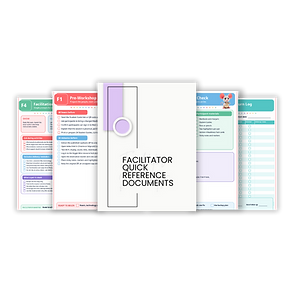
Instructor and participant guides, activities, facilitator resources, scenarios, and performance-support materials were designed to make the training practical, engaging, and easy to apply.
TOOLS:
-
Canva
-
Microsoft Excel
-
Curriculum Mapping
-
Bloom’s Taxonomy
-
Standards Alignment
-
Adobe Captivate



04 | DEVELOP
Bringing the Design to Life
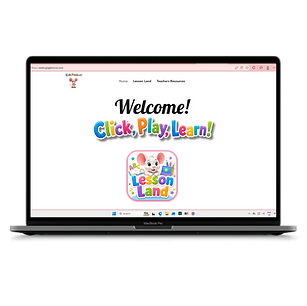
The final stage brought the individual pieces together into one connected instructional system. Interactive eLearning, an online resource hub, classroom resources, and progress-tracking tools provide teachers with support during training and continued access to the materials they need afterward.
TOOLS:
-
Canva
-
Microsoft Excel
-
WIX Website
-
QR Code Creator
-
Training Participant APP
-
Training Feedback APP
-
Assessment/ Participant Package
-
Adobe Captivate


05 | EVALUATE
From Feedback to Forward
Evaluation closes the loop by examining whether the training and resources meet their intended goals. Participant feedback, performance evidence, and reflection help identify what worked, what could be improved, and how the learning experience can continue to evolve.
TOOLS:
-
Participant Feedback
-
Peer Review
-
Knowledge Checks
-
Reflection Activities
-
Evaluation Results
-
Participant Feedback
-
Assessment Data
-
Observation & Reflection
Tools Used To Create The Course

Canva

WIX
Webdesign Studio

Adobe
Captivate

Microsoft
Excel

Survey
Monkey

Adobe
FireFly
(For Images)

Canva
(For Images)

Canva
QR Code Maker

Microsoft
SharePoint

Kimi
(For Images)
One Problem. One Connected Solution.
The goal wasn’t to create more resources. It was to create a system where every resource had a purpose.
Feedback that helped strengthen the Design.

Click. Create. Educate.

